Quiz Planet
Lotum one GmbHTrivia
4.32.31K Reviews
- Version
- 344.0.0
- Installs
- 5.00M
- Age Rating
- Everyone
Screenshots
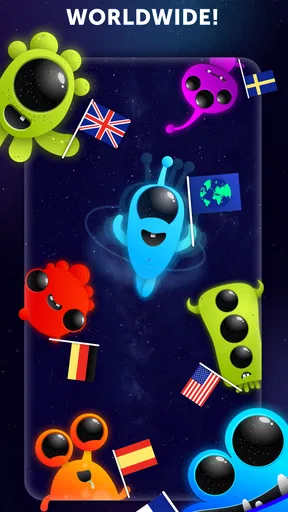
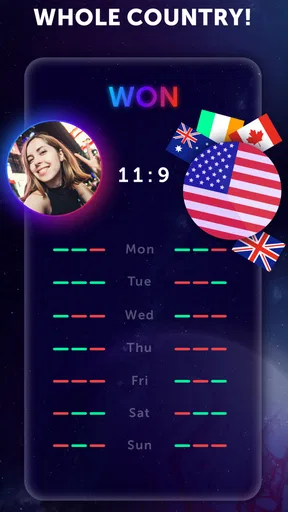
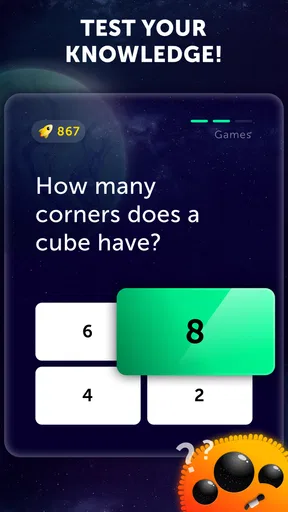
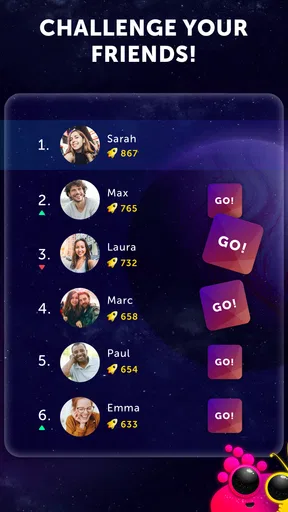
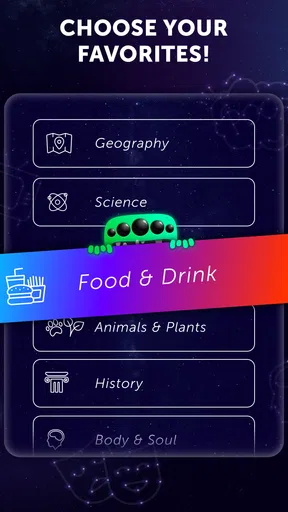
Our Review of Quiz Planet
 Analysis by Appyee
I enjoy trivia games most when they make it easy to start a quick challenge without turning the experience into a complicated project. Quiz Planet takes that social approach: it is a free trivia game from Lotum one GmbH, designed around playing with friends and other people rather than studying alone. The basic appeal is immediate. You answer questions, compare your knowledge with someone else, and get a reason to return for another round.
After spending time with it, I see a game that works best as a casual habit. It can fill a short wait, add some friendly competition to a group chat, or give two people a simple activity when they are not in the same place. It is not a replacement for a serious learning platform, and it will not satisfy players who want a deep campaign or elaborate strategy. Its value comes from the repeated quiz exchange and the social pressure of wanting to do a little better next time.
Where players usually get stuck
The first hurdle is not understanding the questions; it is understanding the rhythm of the game. A trivia app can feel slow if you expect every action to produce an immediate result. Social quiz play often depends on another person responding, so the experience is more enjoyable when I treat it as an ongoing conversation rather than a single uninterrupted session.
That distinction matters when deciding whether this is right for you. If you want a self-contained game that can be completed from beginning to end in one sitting, a traditional offline quiz or a solo puzzle title may suit you better. Quiz Planet is more appealing when the possibility of a later response is part of the fun. I can answer a set of questions, put the phone away, and come back when the next part of the exchange is ready.
Question difficulty is another source of friction. Trivia naturally jumps between subjects, and a strong performance in one area does not guarantee an easy round in another. I would not judge the whole game by a short losing streak. The more useful question is whether you enjoy discovering the subjects you know well, identifying weak spots, and trying to recover in the next challenge.
There is also a social expectation that can be easy to overlook. A friend may not respond immediately, and that does not necessarily mean the game is broken. Before reinstalling or changing settings, I first consider whether the delay is simply part of playing with another person. This small change in expectations prevents a lot of unnecessary troubleshooting.
The game is rated for Everyone, which makes it broadly approachable for households and mixed-age groups. That does not mean every question will be equally suitable for every player’s interests or knowledge. Younger players may still need help with unfamiliar subjects, while adults may find some rounds surprisingly difficult. I see that variation as part of the challenge, but it is worth knowing if you are choosing a game for a very specific age group.
What the first session tells you
My advice is to use the first session as a compatibility test rather than trying to optimize immediately. Notice whether you like the question mix, whether waiting for another player feels natural, and whether the social element adds motivation. If those three things work for you, the simple format becomes a strength. If they do not, extra time spent adjusting the phone will not turn it into a different type of game.
The public response suggests that many players find the format approachable: Quiz Planet has an average rating of 4.3 from around 64 thousand ratings, and it has passed 5 million installs. Those figures are useful context, but they should not replace your own test. A popular social trivia game can still be a poor match for someone who dislikes asynchronous play or prefers carefully structured lessons.
Setup checks before blaming the game
Because the game is free, getting started does not require a purchase decision. The more important check is whether the device meets the basic software requirement. It runs on Android 7.0 or later, so anyone using an older Android release should check that first instead of assuming an installation problem is caused by the app itself.
I also recommend checking the installed version before trying more disruptive fixes. The current version is 344.0.0, and an outdated installation can behave differently from the version other players are using. Updating through the normal app store route is the sensible first step when menus, loading, or invitations do not behave as expected.
A clean setup routine is simple:
- Confirm that the phone is running a supported Android version.
- Check whether the game has an available update.
- Make sure the device has enough free storage for an update to complete.
- Use a stable connection during installation and while starting a new challenge.
- Close and reopen the game after an update rather than judging it during the first launch.
These checks sound ordinary, but they are especially useful with a social game. A quiz can appear stuck when the real issue is that the device has not completed an update, the connection changed between Wi-Fi and mobile data, or the other player has not yet taken the next action.
One practical tip is to avoid testing a new challenge while moving between networks. Starting on home Wi-Fi and then switching to mobile data can make it harder to tell whether a delay comes from the game or the connection. I prefer to wait until the network is stable, launch the app again, and then try the same action once rather than repeatedly tapping the screen.
The developer is Lotum one GmbH, and the app has been available since August 9, 2019. That history helps explain why the game feels suited to an established, repeat-use format rather than a one-off novelty. It also means I would keep the ordinary maintenance steps in mind: update the app, restart it after changes, and avoid assuming that every temporary problem requires deleting personal app data.
How I separate a setup issue from a game issue
I use a short process when something does not load. First, I check whether other internet-based apps are working. If they are also slow, the connection is the more likely cause. Next, I reopen Quiz Planet and try one action only. Repeated taps can make a delayed response look like several failed attempts, so patience is surprisingly valuable here.
If the problem appears only on one device, I compare the behavior after a restart and an update. If the same challenge is also delayed for another player, the cause may be outside the phone. This does not prove what is happening internally, but it gives me a practical way to avoid wasting time on random settings changes.
I would be careful with clearing storage or reinstalling. Those steps can remove local information or force another sign-in process, and they should not be the first response to a single slow round. A restart, a stable connection, and a version check are safer starting points for everyday problems.
Recovering a disrupted quiz workflow
The most useful way to recover is to preserve the order of the activity. If a round seems interrupted, I first return to the game normally and look for the existing challenge instead of immediately starting another one. Creating several replacement attempts can make it difficult to remember which interaction was actually completed.
When a friend says they cannot see progress, I compare the exact symptom. “The question will not open,” “the answer did not register,” and “the other person has not replied” are different situations. Treating them as one problem usually leads to unnecessary reinstalling. A clear description makes it easier to decide whether to wait, restart, update, or seek help through the appropriate support route.
For a shared household, I find it helpful to keep expectations simple. If two people use the same device, finish one person’s interaction before handing it over. If several people are playing from separate phones, agree on who is waiting for whom. This is not a game setting, but it prevents the social workflow from becoming confusing.
A second non-obvious tip is to use the game in short, deliberate windows when your connection is unreliable. Rather than opening it repeatedly during a commute with changing signal, I answer when I have a dependable connection and then leave it alone. That reduces duplicate attempts and makes the next visit easier to understand.
Another useful habit is to treat mistakes as information about your own play style. If you keep rushing through familiar categories, slow down and read every option before answering. If you lose interest during long gaps, invite someone who enjoys regular back-and-forth play instead of relying on a sporadic opponent. The game cannot fix a mismatch in pace, but choosing the right playing partner can make a major difference.
What to do when progress feels confusing
I would avoid assuming that a missing immediate result means an answer was lost. First, leave the screen in a normal way, reopen the app, and check the same challenge again. If the issue repeats, note what happened in plain language: which screen you were on, whether the connection changed, and whether the app had just updated. That information is far more useful than saying only that the game is “not working.”
If you decide to reinstall, do it as a last resort and only after considering whether you can comfortably restore access to your account or ongoing play. Reinstallation is a broad reset, not a targeted repair. For a casual game, losing the thread of a social challenge can be more annoying than the original delay.
When the app is not the right cause—or the right choice
Not every disappointing session is a technical failure. Sometimes the problem is the player mix. A quiz with a very knowledgeable friend can feel unfair even when everything is working correctly. In that situation, changing the opponent or playing with someone whose interests overlap more closely may improve the experience more than changing the phone.
The same applies to content expectations. Quiz Planet is a trivia game, not a course with a planned curriculum. It can encourage curiosity, but I would not use it as the only tool for exam preparation, language learning, or building a systematic knowledge base. A dedicated study app is the better option when you need explanations, progress tracking, and lessons arranged in a deliberate sequence.
It is also not my first recommendation for someone who wants rich solo depth. A conventional quiz game with a large question bank and a clear single-player structure may be more satisfying if you want to play continuously without waiting for another person. Conversely, if your main goal is a light social activity, Quiz Planet has an advantage over many solo alternatives because the opponent is part of the motivation.
Compared with a general knowledge board game, this format is easier to fit into a phone-based routine and does not require everyone to be in the same room. Compared with a rapid-fire live quiz, it is less dependent on everyone being available at exactly the same moment. That flexibility is its strongest practical difference. The trade-off is that it may feel less exciting when you want immediate group energy.
Players who dislike competition should think carefully before installing it. Even a friendly quiz can create pressure when scores are visible or when one person consistently answers faster. I enjoy that tension in moderation, but I would choose a cooperative or purely educational alternative for a group that wants to avoid winners and losers.
Who will get the most from it
I would recommend it to friends who enjoy comparing knowledge, families looking for a simple shared activity, and casual players who like returning to an unfinished challenge later. It is also a good fit for someone who wants a free game with a low commitment: there is no need to reserve a whole evening just to get value from a few questions.
I would skip it if you need offline certainty, dislike waiting for other players, or want a tightly organized learning experience. I would also be cautious about recommending it to someone with very limited storage or an older Android device until the operating-system requirement has been checked. Those are practical fit issues, not flaws that can be solved by enthusiasm.
My practical verdict
Quiz Planet succeeds because it keeps trivia connected to people. I like that the game can turn a few spare minutes into an ongoing contest without demanding the intensity of a live match. Its best use is as a recurring social ritual: answer when you have time, return later, and let the comparison give ordinary downtime a little purpose.
The limitations are equally clear. The experience depends on your opponent’s availability, your connection, and your willingness to accept unpredictable question subjects. It is not the right tool for structured study, and it may feel too passive for players who expect constant action. Those trade-offs are central to the design, so I would decide based on your preferred rhythm rather than on the size of its audience.
With a 4.3 average, more than 2.3 thousand written reviews, and a free entry point, it is easy to understand why the game attracts a broad audience. I would still begin with a small test: install it on a supported device, update it if needed, invite a player who will actually respond, and see whether the waiting-and-answering cycle feels enjoyable. That test tells you more than any popularity figure.
My final view is positive, with a specific recommendation: choose it for friendly, flexible trivia rather than for deep solo progression. Keep the setup checks in mind, do not confuse a delayed response with a broken game, and avoid resetting the app before simpler steps have been tried. If you enjoy learning what your friends know—and discovering what you do not—this is a genuinely easy game to keep in your routine.
Verdict
Strengths of Quiz Planet
- Large question database keeps matches varied and replayable.
- Cross-platform support lets you play with friends on different devices.
- Quick match format makes it easy to fit games into short breaks.
- Multiple language options make the game accessible to more players.
- Regular rankings add extra motivation for competitive players.
Limitations of Quiz Planet
- Some questions may feel too specialized or difficult for casual players.
- Matchmaking can be frustrating when opponents have very different skill levels.
- Progress depends heavily on answering quickly, not just knowing the answer.
- The interface can feel busy when several game elements appear at once.
- Online play requires a stable connection to avoid delays or missed turns.
Other Releases by Lotum one GmbH
View All
Word Blitz
Word4.3
Similar Picks in This Category
View All
Millionaire 2026 Quiz & Trivia
Quiz & Trivia Games by Submarine Apps4.5

Brain Test 2: Tricky Stories
Unico Studio4.7

Trivia Crack: Brain Quiz Games
etermax4.4

QuizzLand. Quiz & Trivia game
Quiz & Trivia Games by Mno Go Apps4.8

Brain Test: Tricky Puzzles
Unico Studio4.7

Logo Quiz
bubble quiz games4.5
Frequently Asked Questions
What is Quiz Planet and how does the game work?
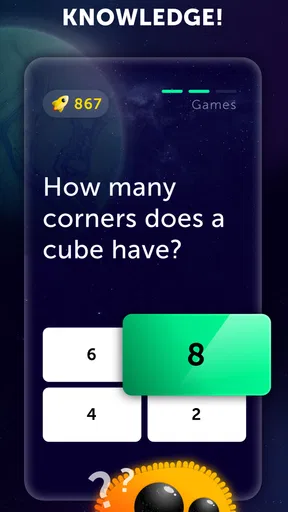
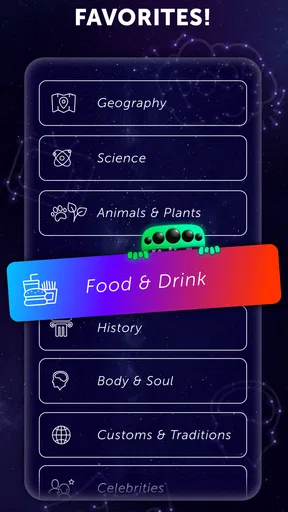
Quiz Planet is a multiplayer trivia game where you challenge friends or other players in question-and-answer matches. Questions cover subjects such as science, history, entertainment, sports, geography, and everyday knowledge. Each round usually gives you a limited amount of time to choose an answer, so success depends on both your knowledge and your ability to respond quickly and consistently.
Can I play Quiz Planet with friends, or is it only against random opponents?
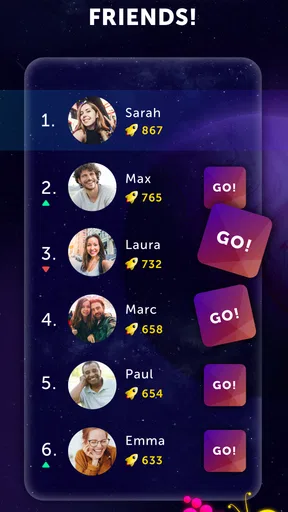
You can play Quiz Planet with friends as well as with other players online. The game is designed around turn-based challenges, which makes it convenient when players are not available at the same time. You can typically invite people through supported social or messaging options, while matchmaking features may also let you compete against opponents from the wider Quiz Planet community.
Does Quiz Planet require an internet connection to play?
Quiz Planet is primarily an online game, because it needs to connect players, deliver questions, save progress, and synchronize match results. An internet connection is therefore normally required for starting or continuing games. If your connection is unstable, answers or completed turns may take longer to register. Offline play should not be expected as a full alternative.
Is Quiz Planet free to download, and are there advertisements or in-app purchases?
Quiz Planet can generally be downloaded and played without paying an upfront purchase price, although availability and pricing may vary by platform or region. Like many free mobile games, it may include advertising, optional purchases, or other monetized features. Before downloading, check the current Google Play or App Store listing for the latest information about ads, subscriptions, and payment requirements.
Is Quiz Planet suitable for children and does it collect personal information?
Quiz Planet may be suitable for older children and families who enjoy general-knowledge competitions, but parents should review the game’s age rating and privacy policy before installation. Online multiplayer, advertisements, account features, and social interactions can involve personal data or external services. It is also worth checking whether parental controls are available and supervising younger players when necessary.
Play our best games!


